Secure exams with
AI proctoring
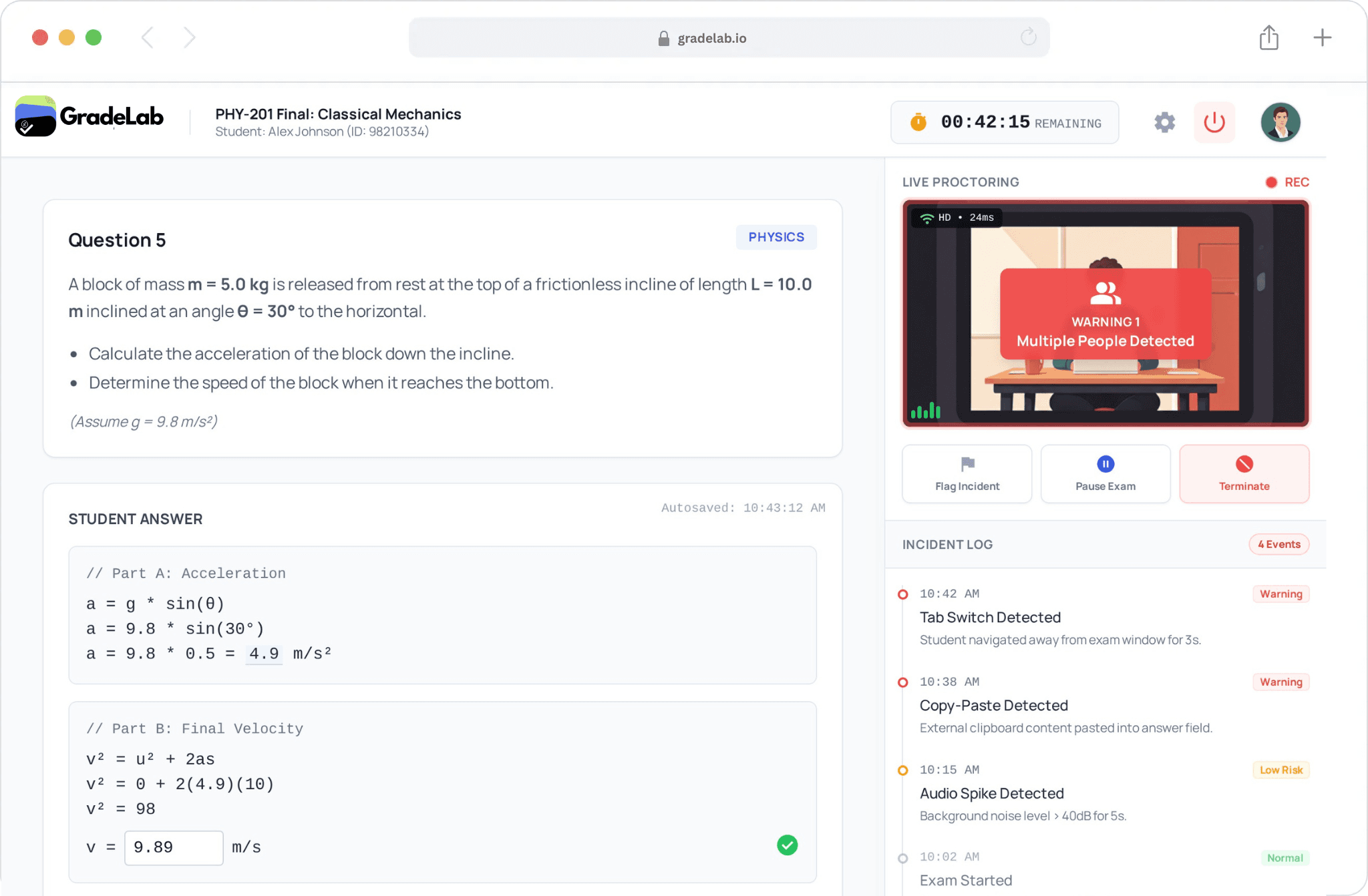
You get AI that monitors face, screen, browser tabs, and environment for remote exams. Conduct high-stakes assessments with confidence whether students are in classroom or at home.



Trusted by 1k+
Educational professors


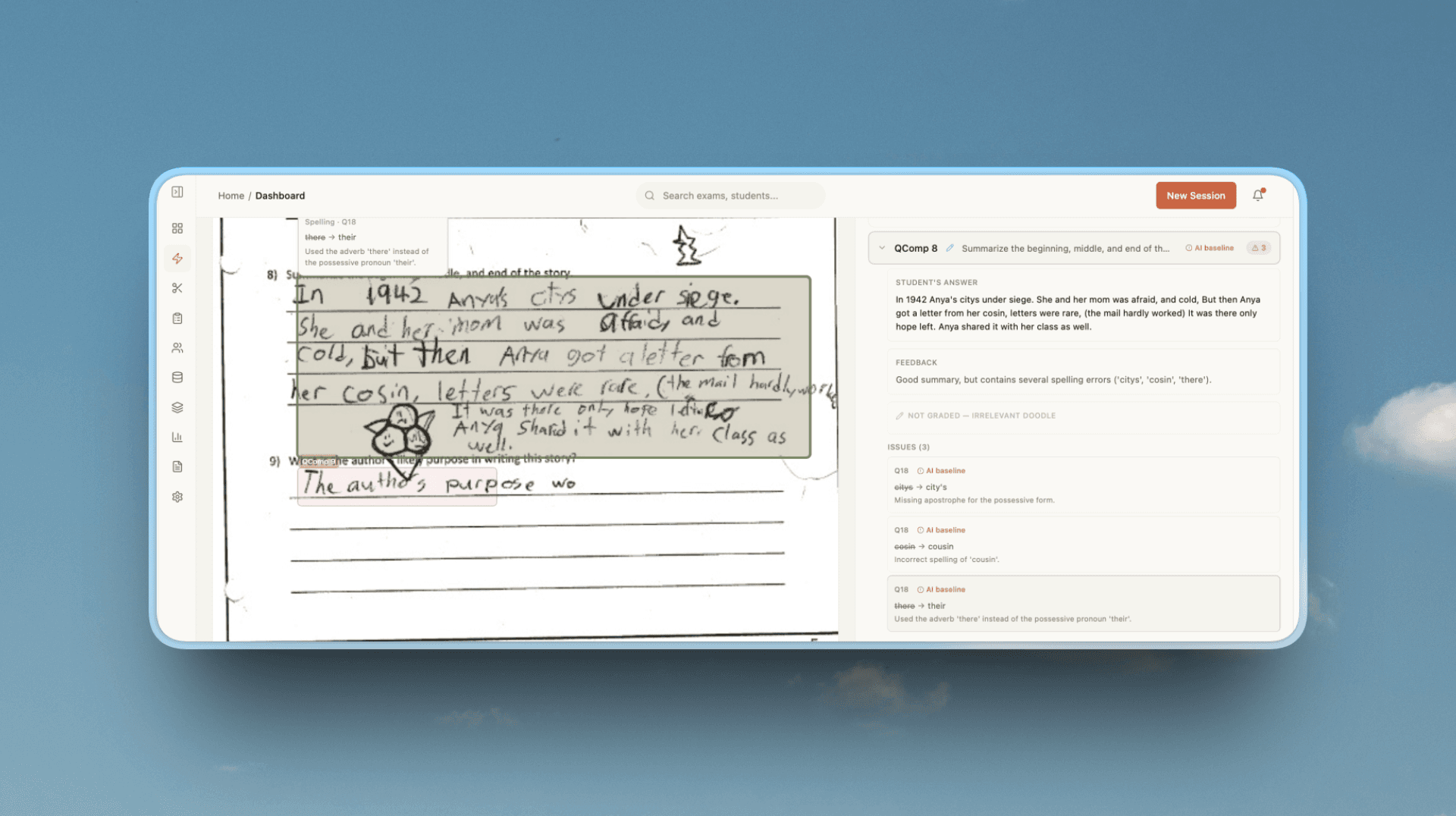
One Platform, Every Format
From handwritten essays to digital quizzes, GradeLab handles it all with the same precision and speed.
Trusted by leading institutions
.png&w=256&q=75)

.png&w=640&q=75)

Comprehensive Exam Integrity
Every layer of protection for secure assessments.
AI Face Verification
Live Screen Recording
Browser Tab Monitoring
Environment Audio Analysis
Multiple Person Detection
Flagged Incident Reports
Live Proctor Dashboard
Post-Exam Review Tools
Powering Assessment for
Governments, institutions, and AI ecosystems worldwide. Delivering secure, scalable, and accurate handwritten assessment solutions.
Government-Certified AI Handwritten Evaluation
Official assessment workflows for certified exam bodies and large-scale handwritten examinations.
.30c80c0c.png&w=1920&q=75)
Enterprise Public Sector AI Grading Systems
Enterprise-grade AI grading deployed for national-level academic and workforce assessments.
Custom AI Grading & OCR Infrastructure
Fine-tuned OCR and grading models built specifically for real-world exam handwriting.
Proctored Exam Flow
Secure from login to submission.
1
Identity Verification
Student verifies ID and face.
2
Environment Check
Camera shows room, no prohibited materials.
3
Continuous Monitoring
AI monitors face, screen, audio.
4
Flag & Review
Suspicious activity flagged for review.
Exam Proctoring FAQ
What is AI exam proctoring?
AI exam proctoring is a technology that monitors students while they take online tests. It uses a combination of webcam, microphone, and screen monitoring to ensure that the rules of the exam are being followed, even when a teacher isn't in the room.
How does the system detect cheating?
The AI looks for specific behaviors, such as a student leaving their seat, another person entering the room, or the student opening new tabs in their browser. If it detects something unusual, it "flags" the moment for the teacher to review later.
Do students need to download special software?
In most cases, students only need a standard web browser with a small extension. The system is designed to be easy to set up so students can focus on their exam rather than technical issues.
Is student privacy protected during proctoring?
Yes. Data privacy is a top priority. Recordings are encrypted and only accessible to authorized school staff for the purpose of verifying exam integrity. The system only monitors the student during the actual exam period.
What happens if a student is flagged by mistake?
The AI does not automatically fail a student. It simply marks the timestamp for the teacher. The teacher can then watch the video clip to decide if it was an actual violation or just a simple mistake, like someone walking past a doorway.
Does proctoring work on all devices?
Our proctoring tools are compatible with most desktops and laptops that have a working webcam and microphone. We recommend a stable internet connection to ensure the monitoring runs smoothly throughout the test.