Grade Google Classroom
assignments with AI.
Students submit in Classroom. GradeLab grades with your rubric and syncs scores back automatically.
Students submit in Classroom. GradeLab grades. Scores sync back automatically.
Last synced: 2 min ago
Assignments
LMS Connect
Trusted by leading institutions

.png&w=640&q=75)







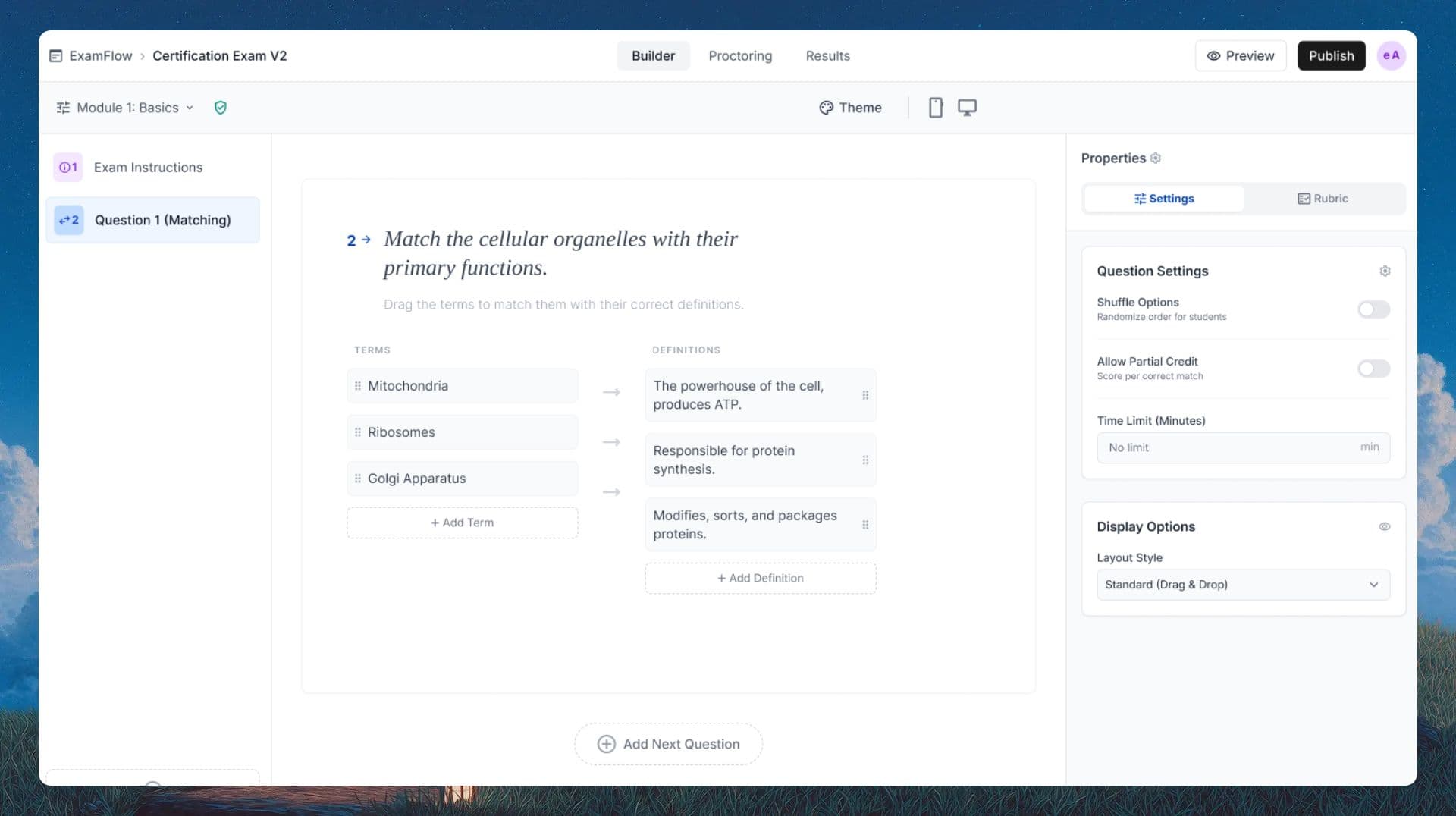
One Platform, Every Format
From handwritten essays to digital quizzes, GradeLab handles it all with the same precision and speed.
What the Google Classroom integration does
GradeLab connects to your Google Classroom courses in one click. Import assignments, grade with AI, and push scores back without leaving your workflow.
One-click course and roster import from Google Classroom
Grade essays and short answers with your rubric
AI writes individual feedback per student submission
Automatic score sync back to the Google Classroom gradebook
Grade uploaded PDFs and Google Docs assignments
Works alongside Google Classroom, not instead of it
See GradeLab in action
Watch how AI grading and online assessment work end-to-end, from upload to results.
How GradeLab works with Google Classroom
Connect once. Grade every assignment without leaving your routine.
1
Connect your Google Classroom account
Sign in with Google and authorize GradeLab to access your Classroom. Your courses, assignments, and student rosters import automatically. Setup takes under two minutes.
2
Pick an assignment and set your rubric
Select any active assignment from your Classroom. Set or import your rubric criteria directly in GradeLab. You can reuse rubrics across multiple assignments and courses.
3
AI grades every submission
GradeLab reads each student submission, applies your rubric, scores each criterion, and writes individual feedback. A class of 30 students is typically graded in under 5 minutes.
4
Review, adjust, and sync scores back
Review any flagged answers or AI scores before publishing. When you approve, GradeLab pushes scores directly to the Google Classroom gradebook. Students see their results and feedback immediately.
All Google Workspace tiers
Works with Google Workspace for Education Fundamentals (free), Standard, Teaching and Learning Upgrade, and Plus.
No student setup required
Students keep submitting in Google Classroom exactly as they do today. No new logins, no new apps, no instructions to send home.
FERPA and GDPR compliant
Student data is processed securely and is not used for model training. Data processing agreements available for school districts.
Google Classroom integration FAQ
Does GradeLab work with Google Classroom?
Yes. GradeLab integrates with Google Classroom to import assignments and student rosters, grade submissions with AI using your rubric, and sync scores back to the Google Classroom gradebook.
What types of Google Classroom assignments can GradeLab grade?
GradeLab grades Google Docs submissions, uploaded PDFs, typed text responses, and short answer assignments. It supports essays, structured short answers, and assignments with multiple questions.
How does grade sync back to Google Classroom work?
After GradeLab grades a batch of submissions, you review and approve the scores. One click pushes them directly to the Google Classroom gradebook via the official Classroom API. No CSV exports or manual entry.
Does GradeLab replace Google Classroom?
No. GradeLab works alongside Google Classroom. Students still submit through Classroom, you still manage your class there. GradeLab only adds AI grading and feedback generation to the workflow you already use.
Is GradeLab free for Google Classroom teachers?
GradeLab offers a free trial for Google Classroom teachers. You can grade your first assignments and test the grade sync before committing to a school or district plan.
Is GradeLab FERPA compliant for US schools using Google Classroom?
Yes. GradeLab is FERPA compliant. Student data is processed securely and is not used for model training. Institutional agreements are available for US school districts.