Assessment Workflow Mapping Before Buying Technology
Om Joshi••3:43 read
Assessment Workflow Mapping Before Buying Technology
A product demonstration begins where the software begins.
An assessment service begins much earlier.
It starts with policy, learning outcomes, question design, rubrics, candidate data, venues, accommodations, and approval. It continues after marking through moderation, result release, rechecks, appeals, retention, and deletion.
If an institution maps only the steps shown in a demonstration, it will buy for a fragment of the real process.
TL;DR: Choose one real assessment cycle and map it from policy to appeal. Use swimlanes for learners, academics, operations, markers, registry, technology, and assurance teams. For every step, record the owner, system, data, evidence, decision, handoff, exception, delay, and control. Write requirements from observed problems, then evaluate technology.
What is assessment workflow mapping?
Assessment workflow mapping is a structured picture of how an assessment moves through people, systems, physical locations, data states, decisions, and exceptions.
It is more than a row of boxes.
A useful map shows both the learner-facing journey and the institutional work behind it. Current GOV.UK service guidance recommends mapping online and offline touchpoints, backend processes, participants, and evidence. Its 2026 service standard also warns against designing a service around technology, including AI technology.
That principle fits assessment. The tool should support the complete decision system. It should not define the system merely because its interface is convenient.
Which assessment should be mapped first?
Do not begin with an imaginary institution-wide average. Choose one real cycle.
Good starting candidates include:
a high-volume written examination
a course with recurring moderation problems
a multilingual assessment
a paper-heavy process with manual indexing
a professional certification with formal appeals
a low-stakes diagnostic assessment being considered for automation
Write the boundaries in one sentence:
“This map begins when the assessment owner approves the assessment specification and ends when the appeal window closes and required records enter retention.”
The boundary may differ, but it must be explicit. Otherwise, teams will omit work that sits outside their department.
Book a demo and get 90-day trial, free migration, and locked-in 2026 pricing.
Join thousands of educators and institutions using GradeLab's AI-powered grading platform to save time, ensure accuracy, and provide instant feedback to students.
Save 100+ hours per month
AI-powered accuracy & consistency
Instant student feedback
Easy LMS integration
Assessment Workflow Mapping Before Buying Technology - GradeLab
Who belongs in the mapping session?
Invite people who perform the work, approve it, support it, and experience its failures.
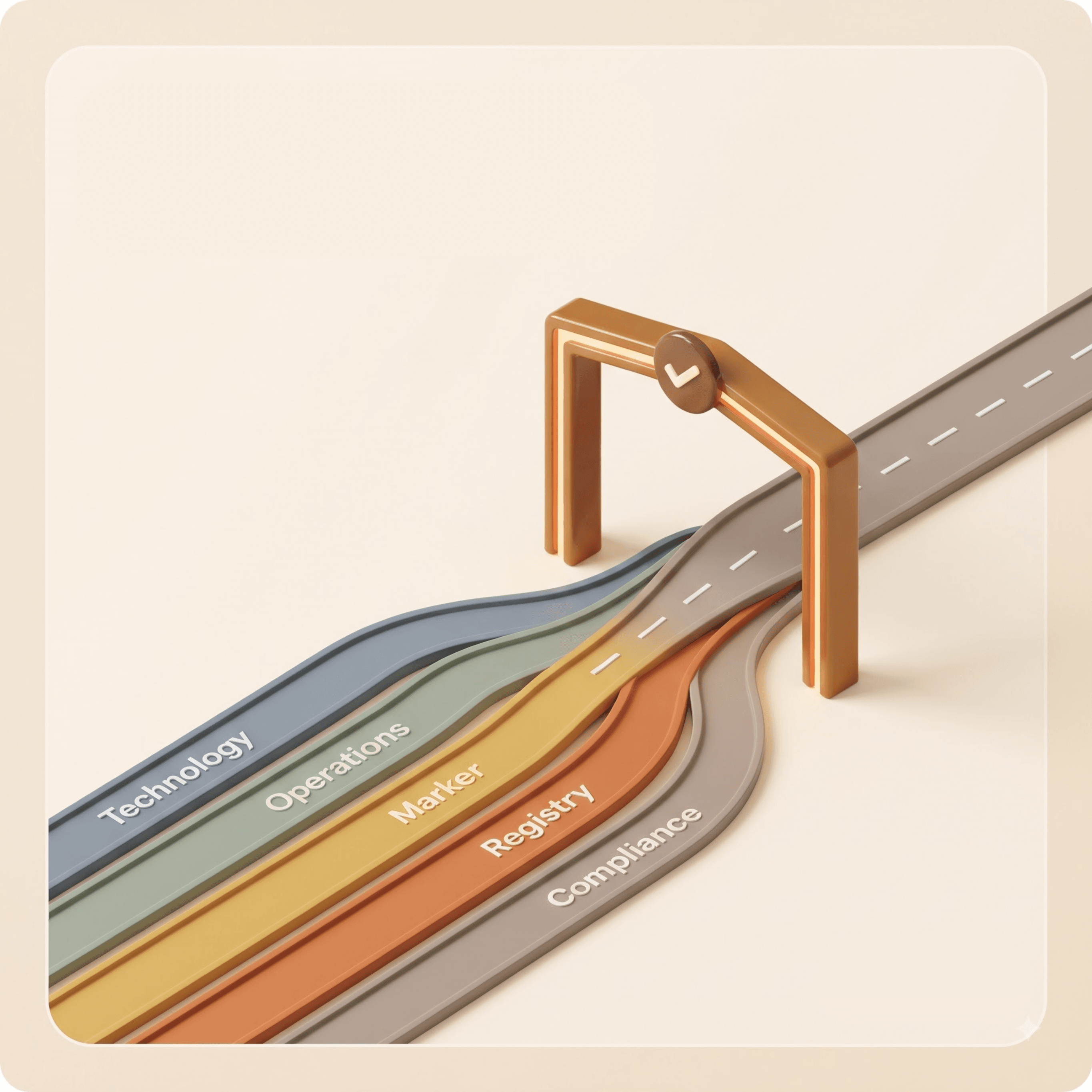
Use these swimlanes as a starting point:
Candidate or learner
Academic, trainer, or question owner
Examination operations
Marker and moderator
Registry or result authority
Technology and data team
Quality, privacy, security, or compliance
One person may occupy several lanes in a small organization. That is fine. Keep the responsibilities separate so hidden dependencies remain visible.
Senior leaders should participate, but they should not describe operational work on behalf of the people who do it. A written procedure and the real process are often different.
What stages should the map cover?
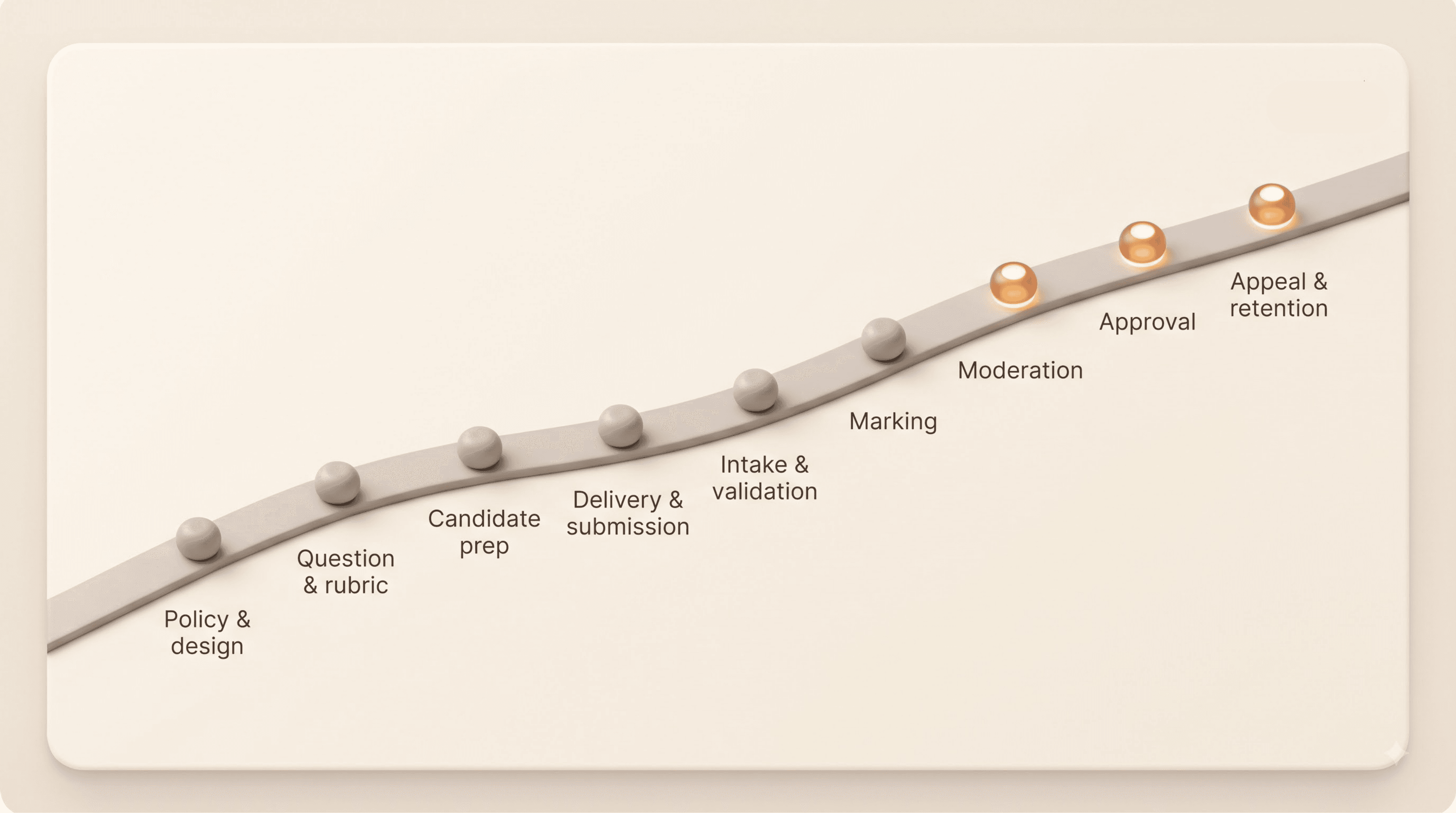
Use nine stages, then adapt them to the institution.
Stage
Questions to answer
Policy and design
What is being assessed, under which rules, and who approves it?
Question and rubric setup
How are questions, model answers, rubrics, versions, and accommodations controlled?
Candidate preparation
How are identity, eligibility, venues, devices, and support needs confirmed?
Delivery and submission
How does work enter the process, and what proves successful submission?
Intake and validation
How are papers or files counted, scanned, indexed, checked, and repaired?
Marking
How are responses assigned, judged, flagged, changed, and completed?
Moderation and assurance
Which samples, boundaries, anomalies, and marker patterns are reviewed?
Approval and release
Who authorizes results, and how are corrections controlled?
Recheck, appeal, and retention
How is a decision reconstructed, challenged, retained, and deleted?
This prevents the map from ending at “grade saved.”
What should every step record?
For each activity, capture the same fields:
trigger
output
accountable owner
person or team performing the work
system, document, or physical channel
data created, viewed, or changed
evidence retained
approval or decision
standard path
exception path
handoff and receiving queue
waiting time and active effort
known failure
existing control
If a team cannot identify the owner, mark the gap. Do not quietly assign one during the session.
Separate active work from waiting
A script may take four minutes to inspect and two days to reach the right marker. A correction may require ten minutes of work but wait a week for approval.
Record both.
This distinction stops institutions from automating a fast activity while leaving the larger queue untouched.
Show data changes, not merely data movement
At every handoff, ask:
What record is created?
Which identifier links it to the learner and assessment?
Who can change it?
Which version is authoritative?
What proves the transfer completed?
How is a correction propagated?
What must be retained for audit or appeal?
These questions are especially important when paper and digital processes meet. GradeLab's paper grading overview provides product context for scanning and review workflows after the current state is understood.
How do you map decisions and human authority?
Use different symbols for activity, recommendation, decision, approval, and release.
They are not interchangeable.
A marker may recommend a score. A moderator may change it. A board may approve results. Registry may release them. An appeal body may later revise the outcome.
For every decision, record:
the decision owner
evidence available at that point
permitted changes
required second review
reason captured
downstream effect
challenge or appeal route
NIST's AI Risk Management Framework calls for context, intended use, human oversight, third-party components, impacts, and controls to be mapped. If automated assistance is being considered, add where suggestions appear and whether they can influence the reference decision.
Where do assessment maps usually reveal problems?
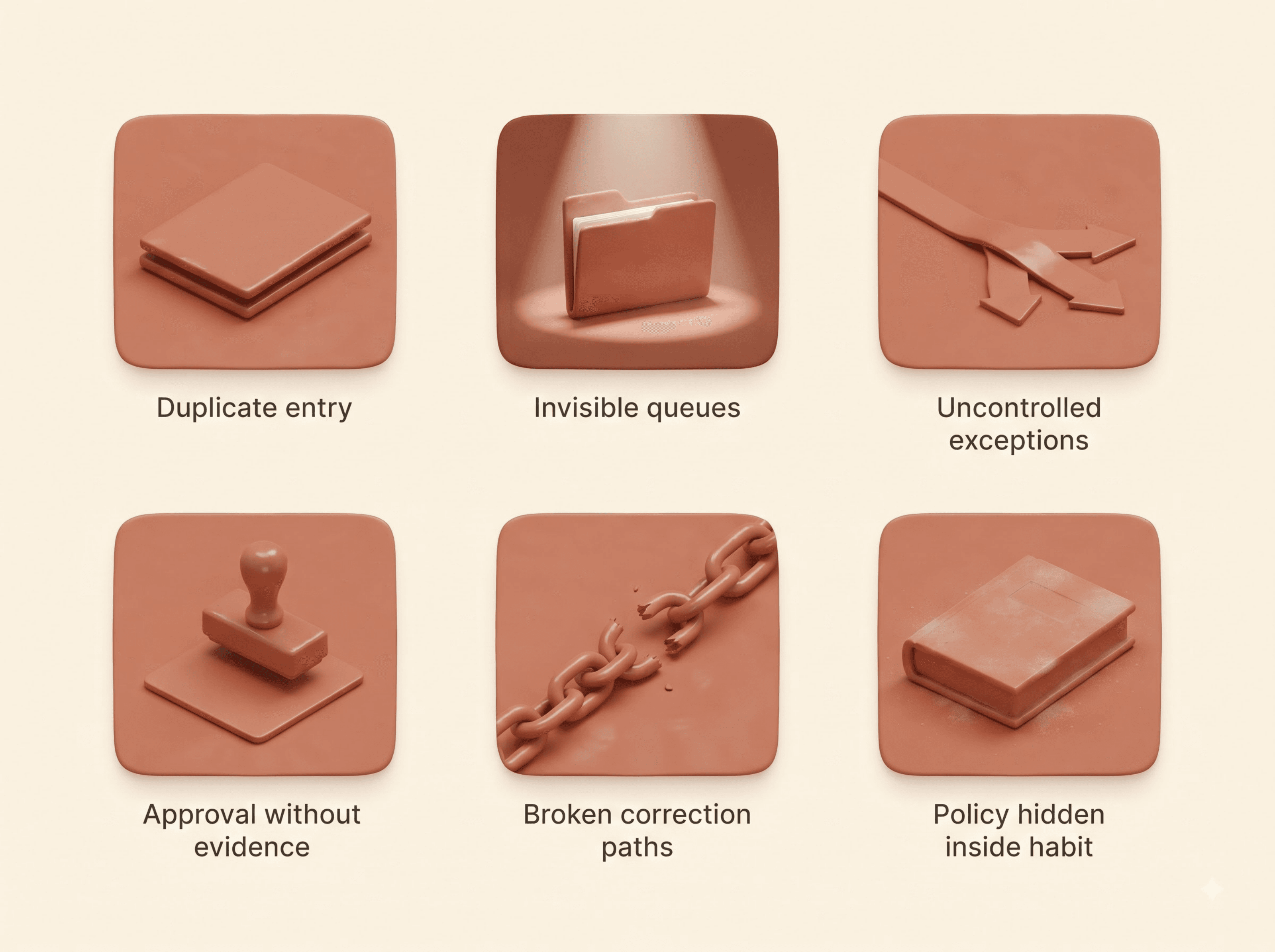
Look for patterns, not isolated complaints.
Duplicate entry
The same identifier, score, or status is copied between paper, spreadsheets, email, marking tools, and student systems. Each copy creates delay and reconciliation work.
Invisible queues
Work waits in inboxes, shared folders, physical rooms, or personal spreadsheets without an owner or expected completion time.
Uncontrolled exceptions
Missing pages, unreadable scans, absent candidates, alternative answers, late submissions, and marker conflicts leave the standard workflow and are resolved informally.
Approval without evidence
A person clicks approve but cannot see the original response, prior changes, rubric version, or reason for escalation.
Broken correction paths
A corrected mark changes in one system but not another. The institution then has several plausible versions of the truth.
Policy hidden inside habit
A step continues because “we have always done it,” although no current policy requires it. Conversely, a formal control may exist on paper but not in practice.
How should the map become technology requirements?
Do not translate every box into a feature request.
First classify the finding:
Finding
Possible response
Unnecessary duplicate approval
Remove or simplify the process
Missing owner
Assign governance responsibility
Manual transfer between systems
Test an integration or controlled import
Poor visibility of queues
Add status, ownership, and reporting
Repeated indexing errors
Improve intake validation and identifiers
Inconsistent decisions
Clarify rubric, training, review, or moderation
Weak audit trail
Capture versions, actions, reasons, and approvals
Some problems need policy changes. Some need training. Some need clearer roles. Some need technology.
Only the last group belongs in a product requirement by default.
Write each requirement as an observable outcome:
“An authorized moderator can reconstruct the response, rubric version, suggested score, reviewer changes, reason, and final approval without requesting information from another team.”
That is testable. “Must have advanced analytics” is not.
How do you design a future-state assessment workflow?
Keep the current-state map intact. Create a separate future-state version.
For every proposed change, state:
the problem it addresses
the affected roles
the data and systems involved
the control that remains or changes
the new exception path
the measure that will show improvement
Test the future state with real scenarios before selecting a platform. Include a normal response, an unreadable submission, a boundary score, a correction after moderation, a system outage, and an appeal.
GradeLab's digital grading overview can help teams explore a possible future-state layer. Its API access information can support technical questions about system boundaries. Neither page replaces the institution's own map.
An illustrative GradeLab future state
Consider a paper-based examination whose approved questions, candidate records, and final results remain in existing institutional systems.
An illustrative future state could use GradeLab for controlled script intake, indexing, on-screen review, assisted evaluation, human overrides, moderation queues, and reporting. Approved results would then move through the institution's established authorization and release process.
That example does not prescribe a configuration. It shows how a specialist assessment layer might fit without transferring final academic authority.
Use a focused 90-minute session for the first draft:
10 minutes: Confirm assessment, start, end, and participants
20 minutes: Place the nine main stages
25 minutes: Add real activities, systems, and handoffs
15 minutes: Add decisions, exceptions, data, and evidence
10 minutes: Mark delays, failures, duplication, and unclear ownership
10 minutes: Assign follow-up evidence and map owners
The first map will be incomplete. That is expected.
Validate it with people who were not in the room. Compare it with procedures, system records, sample documents, support tickets, and a recently completed assessment cycle.
Frequently asked questions
Is a flowchart enough for assessment workflow mapping?
Usually not. A basic flowchart shows sequence but may hide owners, data, evidence, systems, queues, exceptions, and decision rights. Add swimlanes and consistent fields.
Should we map the current or future workflow first?
Map the current state first. Otherwise, assumptions about the proposed technology can erase work, controls, and failure paths that still need attention.
How detailed should the map be?
Detailed enough to expose handoffs, decisions, exceptions, data changes, and ownership. Create a summary for leaders and retain a working version for implementation teams.
Does workflow mapping prove compliance?
No. It can expose where obligations and controls operate, but legal, regulatory, accessibility, privacy, and assessment review still require qualified evaluation.
Where should GradeLab appear on the map?
Only in the future-state version, after requirements are defined. Map the exact verified configuration, connected systems, human reviews, exception paths, and result authority.
Map before the demonstration
The map changes the buying conversation.
Instead of asking whether a platform has a feature, the institution can ask whether it solves a documented problem, preserves a necessary control, handles the difficult case, and produces the evidence required at the next decision point.
This article draws on current GOV.UK guidance for service, journey, experience, and technology mapping, its 2026 whole-problem service standard, and the NIST AI Risk Management Framework. External source URLs are retained only in the internal research brief.